
Client Portal
A better client experience, from first booking to ongoing care
By OMALife Team
Published 30 September 2026
Introduction
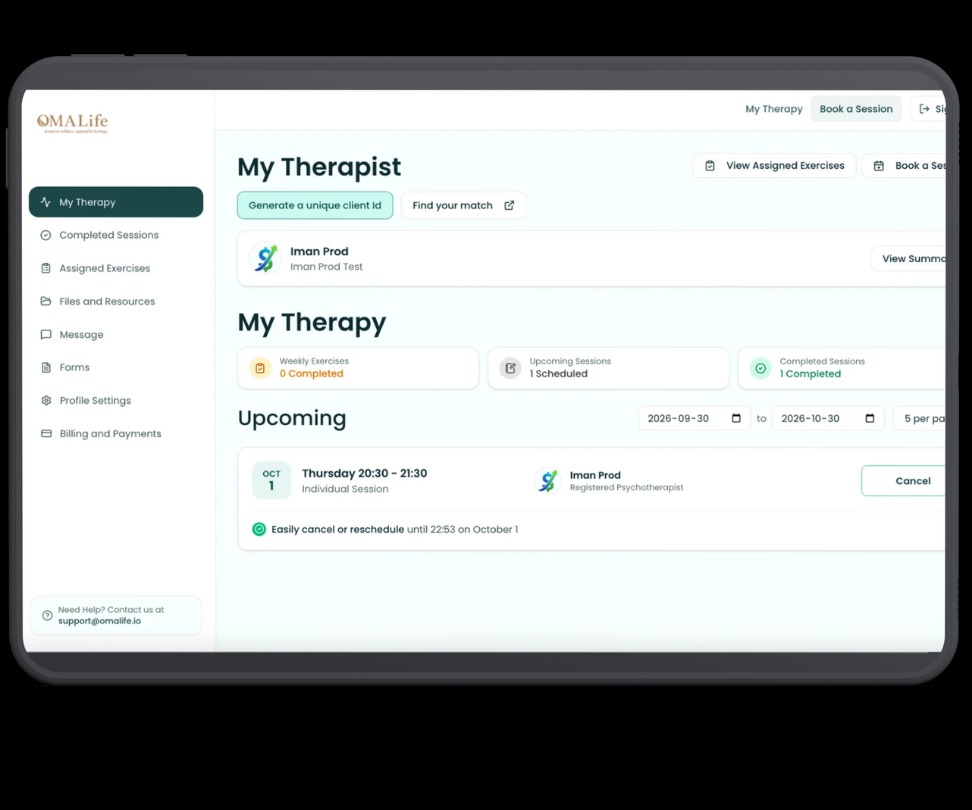
Every practice has a front door — the first place a client interacts with you outside the therapy room. For a lot of practices, that door is still a phone call, a string of emails, or a form that has to be printed and signed. OMALife's Client Portal is built to replace all of that with one secure, simple space: clients book their own appointments, complete forms ahead of time, message you between sessions, and pick up resources you've assigned — all without leaving the platform.
1. Booking that fits their life, not your front desk hours
Clients can see real-time availability and book directly, day or night. Reminders go out automatically, and rescheduling doesn't mean a phone call to your office.
- Real-time availability, 24/7 self-booking
- Automatic email & SMS reminders
- Self-serve rescheduling within your rules
2. Stay connected, without leaving the platform
Answer quick questions, share a check-in prompt, or send a form — all through a channel that's private and kept with the client's record, not scattered across text messages and email.
- Encrypted, PIPEDA-compliant messaging
- Attach forms, resources & documents inline
- Message history kept with the client file
Conclusion
Why it matters Practices that switch to the Client Portal consistently report the same shift: fewer phone calls, fewer no-shows, and clients who arrive at their first session with intake paperwork already done. It's not a bigger tool — it's a quieter one.
Frequently Asked Questions
You choose which forms, resources and booking options are visible per client or program, so the portal always matches how your practice actually works.